April Fools Day pranks fade away by April 2, but scammers certainly don't take a break.
Spring marks a spike in cyberattacks, not due to carelessness, but because busy, distracted teams are ripe targets.
During hectic workdays, convincing scams quietly slip through, fooling even vigilant employees.
Here are three active scams designed to deceive diligent professionals simply trying to get through their tasks.
As you read, ask yourself: Would every team member stop and spot these traps?
Scam #1: Fake Toll or Parking Text Alerts
Imagine an employee receives a message like this:
"Unpaid toll fee of $6.99 detected. Pay within 12 hours to avoid penalties."
It cites a legitimate toll agency—E-ZPass, SunPass, FasTrak—matched to their state. The small dollar amount feels harmless.
Between meetings, they click the link, pay quickly, and move on.
But the link is a phishing trap.
In 2024 alone, the FBI logged over 60,000 complaints about fake toll texts, surging 900% in 2025. Researchers uncovered tens of thousands of fraudulent domains masquerading as state toll systems—revealing just how lucrative this scam has become. Alarmingly, some victims live in states without toll roads.
This scam works because a small fee seems non-threatening, and recent toll or parking use makes the message feel authentic.
The best defense? Legitimate toll agencies never demand immediate payment via text links. Train employees to visit official sites or apps directly for payments and never respond to suspicious texts—including "STOP"—to avoid confirming active numbers.
Convenience is the lure; strict payment policies are the shield.
Scam #2: "Your File Is Ready" Phishing Campaigns
This scam seamlessly fits into daily workflows.
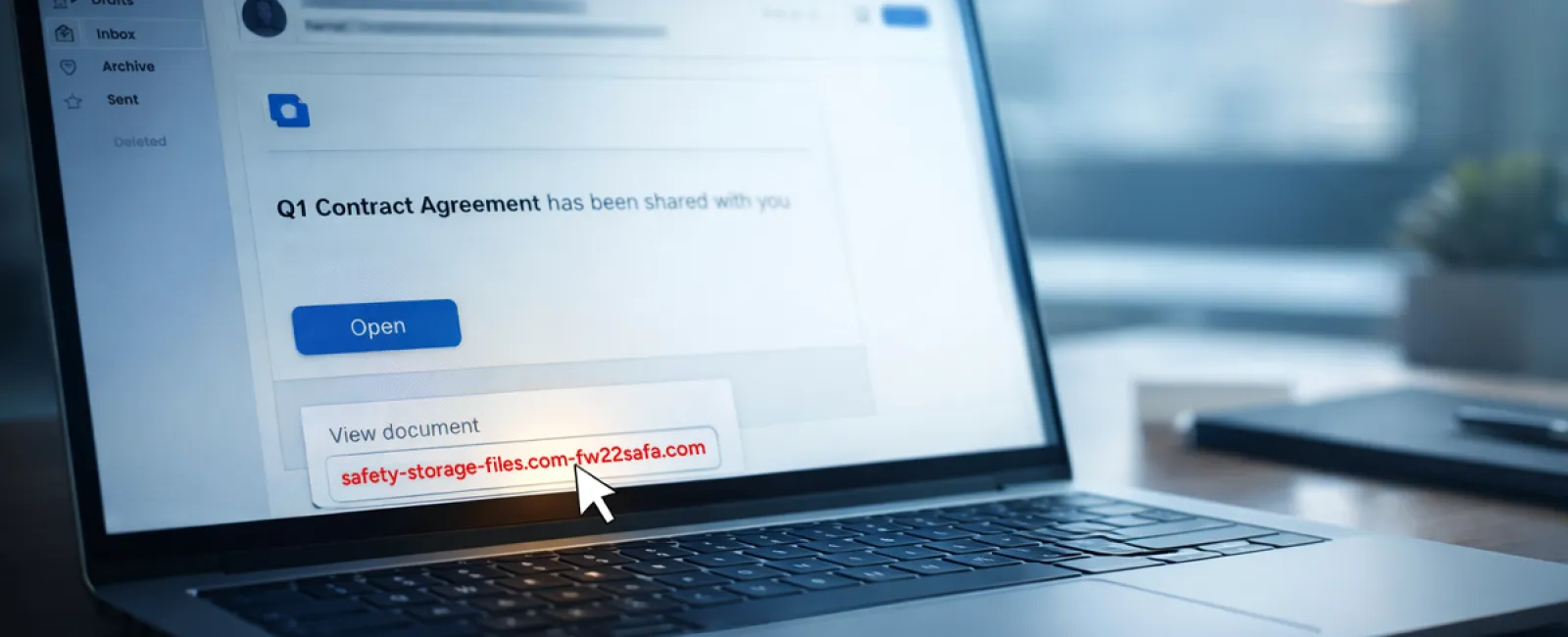
An employee receives an email indicating that a document—like a contract via DocuSign, a spreadsheet on OneDrive, or a Google Drive file—is shared with them.
The sender's name and formatting appear authentic.
They click the link, enter their login credentials, unwittingly granting attackers access to your company's cloud environment.
Phishing attacks exploiting trusted platforms surged 67% in 2025, with Google Slides phishing links alone increasing over 200% within six months, according to KnowBe4's Threat Labs.
Employees are seven times more likely to trust links from OneDrive or SharePoint notifications because they look legitimate.
The most advanced scams send notifications from compromised accounts using genuine Google or Microsoft servers, bypassing spam filters.
How to protect: Train staff to avoid clicking unexpected share links. Instead, they should access the platform directly via a browser to verify files. Limit external sharing permissions and enable alerts for unusual login activity—simple settings your IT team can implement quickly.
Routine caution delivers powerful protection.
Scam #3: Highly Convincing Phishing Emails
Gone are the days when phishing emails were riddled with errors and awkward phrasing.
AI-generated phishing attacks now achieve a 54% click rate—over four times higher than human-written emails—by perfectly mimicking real company details and workflows scraped from public sources.
These scams target departments precisely: HR and payroll receive fake verification requests; finance gets vendor payment change alerts. In one test, 72% engaged with vendor impersonation emails, 90% higher than other phishing types. The messages are calm, professional, and urgent—appearing like everyday correspondence.
Effective defense: Verify any request involving login credentials, payments, or sensitive data through a secondary channel, such as a phone call or direct chat. Train employees to hover over sender addresses to confirm domains, and treat unexpected urgency as a warning sign.
Genuine security never pressures users to act hastily.
The Core Issue
These scams capitalize on familiarity, authority, timing, and the expectation that "this will only take a second."
The real vulnerability isn't reckless staff, but flawed systems relying on perfect decision-making under pressure.
If one hurried click can jeopardize your day, it's not a people issue—it's a process failure.
Fortunately, process flaws can be corrected.
How We Support You
Business owners don't want extra projects or become cybersecurity trainers.
They want assurance their company isn't silently exposed.
If you're concerned about your team's security—or know another business leader who should be—we invite you to a no-pressure discovery call.
During this call, we'll discuss:
- Current threats targeting businesses like yours
- How risks slip into day-to-day operations
- Practical steps to strengthen security without hindering productivity
No scare tactics—just clear insights and actionable advice.
Click here or give us a call at 954-327-1001 to schedule your free Consult.
If this doesn't fit your needs, please share with someone who would benefit. Recognizing the signs can turn a "close call" into a "blocked attack."