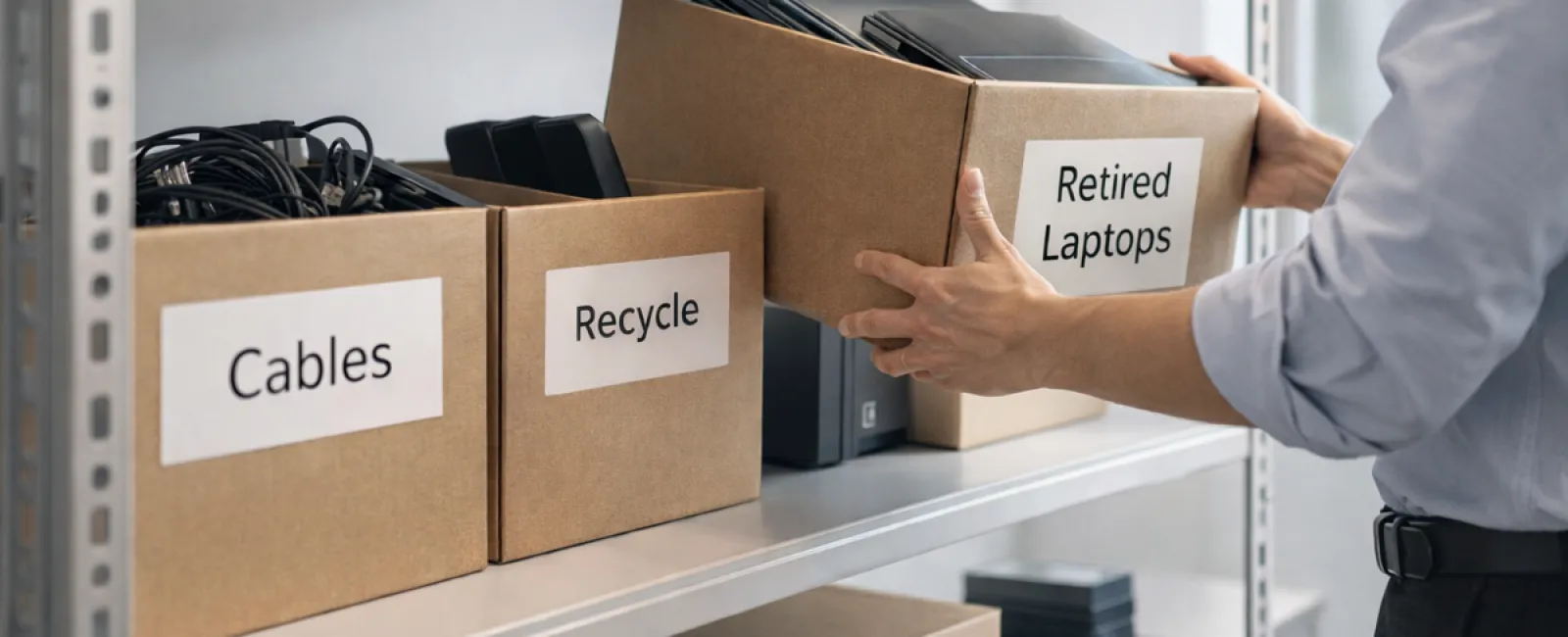
While spring cleaning often begins with closets, most businesses face a bigger challenge: clutter that goes beyond just racks.
It might be tangled in a server rack, stored away in a supply room or back office, or stacked in a forgotten pile tagged "we'll sort this out later."
Old laptops, retired printers, obsolete backup drives from past upgrades, and boxes of cables hoarded "just in case" tend to accumulate everywhere.
Every business collects these items over time.
The real question is not if you have clutter, but do you have an actionable plan for what comes next?
Technology Follows a Lifecycle Beyond Just Purchase Dates
Buying new tech usually happens for a clear reason: it's faster, more secure, more capable, or supports company growth.
While most companies carefully plan tech purchases, few put serious thought into how they retire equipment.
Often, equipment retirement is quiet — devices quietly replaced and set aside, then forgotten until someone decides to make space.
This informal approach is typical.
However, treating tech retirement with the same strategic care as acquisition is far less common.
Even outdated technology holds value—whether through reuse, recyclability, or sensitive stored data—and reality is, just storing old devices often causes clutter and distractions.
Spring is the perfect opportunity to evaluate: what's still beneficial, and what's holding you back?
A Straightforward Guide to Streamlining Your Tech
If you want to turn tech retirement from a vague thought into real action, follow our practical four-step plan.
Step 1: Take Inventory
Identify what equipment you're phasing out: laptops, phones, printers, network devices, external drives? You can't manage what you don't know you have; a simple walkthrough often uncovers surprising volumes of excess hardware.
Step 2: Choose the Proper Path
Each device usually fits into reuse (internally or donations), certified recycling, or secure destruction (for sensitive data). The goal is to decide deliberately, avoiding endless storage limbo.
Step 3: Prepare Devices with Care
Discipline here pays off.
If reusing or donating, remove devices from management systems, revoke access, and perform verified data wiping (not just factory resets). Deleting files or quick formats don't truly erase data; they merely hide it.
Research by Blancco revealed 42% of drives resold on eBay still contained sensitive info despite sellers claiming data wipes. Certified tools overwrite every bit and provide verification.
For recycling, choose certified e-waste providers—not dumpsters or curbside. For instance, Best Buy's recycling is for residential use, not businesses.
Commercial gear requires certified IT asset disposition (ITAD) or business-focused recyclers with e-Stewards or R2 certification (searchable at e-stewards.org and sustainableelectronics.org). Your IT partner can usually assist here.
For destruction, opt for certified wiping or physical destruction (professional shredding/degaussing), and keep detailed records: device serial numbers, destruction method, dates, and handlers.
This isn't overcautious—it's about closing the process responsibly.
Step 4: Record and Move Forward
Once devices leave your premises, you should track their destination, handling process, and confirm access removal. Document everything to eliminate uncertainty.
Devices Often Overlooked in Retirement
Laptops get attention. Other devices often slip through the cracks.
Phones and tablets can still hold email access, contacts, and authentication apps. Factory resets suffice for many, but certified mobile wiping is safer for business equipment. Apple, Samsung, and major brands offer trade-in programs, sometimes yielding credit towards new devices.
Modern printers and copiers often contain internal hard drives storing every print, scan, copy, or fax. For leased machines, get written confirmation that hard drives will be wiped or removed before redeployment.
Batteries are considered hazardous waste by the EPA, and disposal laws in states like California and New York prohibit regular trash disposal. Remove batteries, tape terminals to prevent shorts, and use certified drop-off points. Resources like Call2Recycle.org and stores such as Staples, Home Depot, or Lowe's accept rechargeable batteries at many locations.
External drives and retired servers often stay forgotten in closets longer than ideal. While not immediately problematic, they deserve the same systematic retirement approach as other equipment.
Insights on Electronics Recycling
April's Earth Day encourages us to recycle thoughtfully.
Electronic waste should never reach landfills. Globally, over 62 million metric tons of e-waste are generated annually, but only 22% is properly recycled. Components like batteries, monitors, and circuit boards belong in specialized recycling streams, with certified e-waste programs available in most areas.
Retiring technology responsibly is not just environmentally smart—it streamlines operations and safeguards data. You don't have to choose between security and sustainability—you can achieve both.
Plus, sharing these practices subtly on your company's social channels can build trust as customers appreciate genuine responsibility.
Unlocking a Bigger Advantage
Spring cleaning isn't just about discarding items—it's about creating room for growth.
Clearing out dated hardware is important, but it's also the perfect time to ask: Does your technology truly support your business goals?
The hardware changes, but today's real drivers of productivity and profit are software, systems, automation, and workflows.
Retiring old devices is good housekeeping; aligning your tech ecosystem with your business vision keeps you progressing.
How We Support You
If you already follow defined equipment retirement processes, that's wonderful—the goal is to make this routine and effortless.
However, while you handle hardware replacement responsibly, consider stepping back to assess: Are your systems integrated? Do your tools synergize? Is your technology fueling growth or merely maintaining status quo?
If you want to evaluate how your tech stack, workflows, and systems impact productivity and profitability, we're ready for that conversation.
No sales pressure, no gear checklist—just a straightforward talk on optimizing technology for your business success.
Click here or give us a call at 954-327-1001 to schedule your free Consult.
If this inspired you, share it with fellow business owners who could benefit.
Spring cleaning should extend beyond closets—embrace it as a refresh for your business systems.